Kalvisalai
ERP
Home
Modules
FAQs
Support
Contact Helpdesk
User Manual
Kalvisalai - Students Fee Tag Bulk Edit
Quick Navigation
1. Navigate to Bulk Edit
2. Select Programme & Section
3. Choose Fee Category Tag
4. Update & Save Tags
1
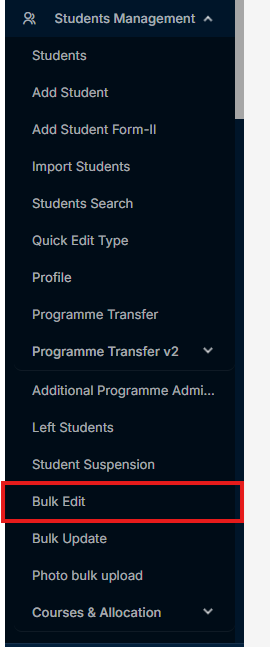
Click the menu "Bulk Edit" in Student Management -> Bulk Edit
2
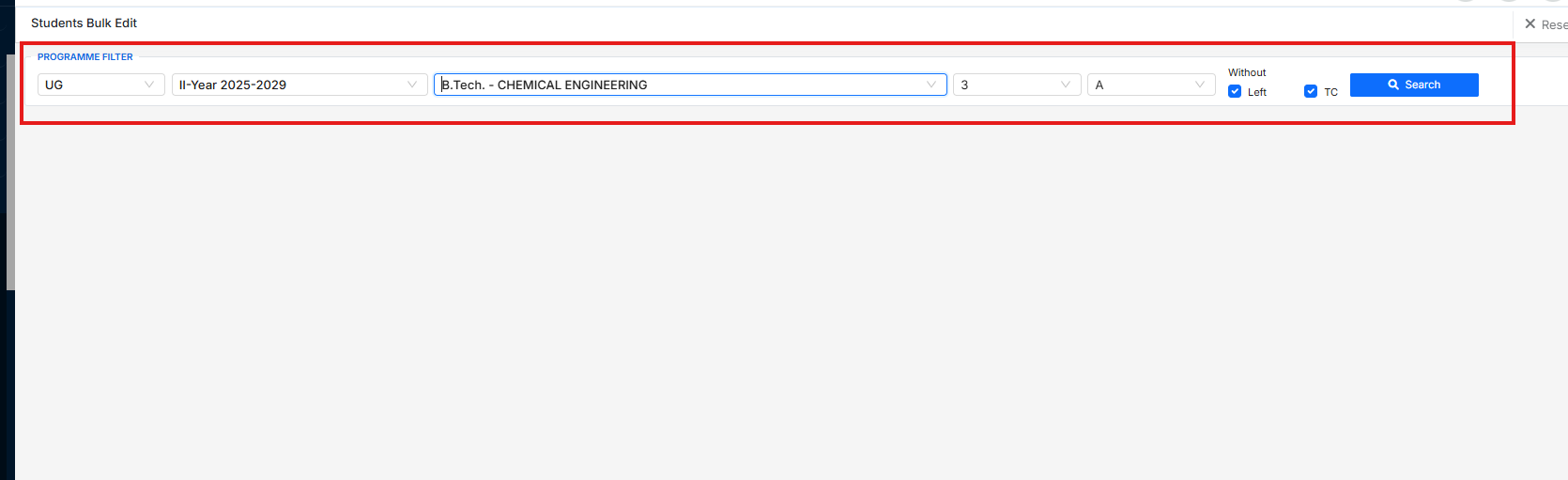
Select the Programme and section
3
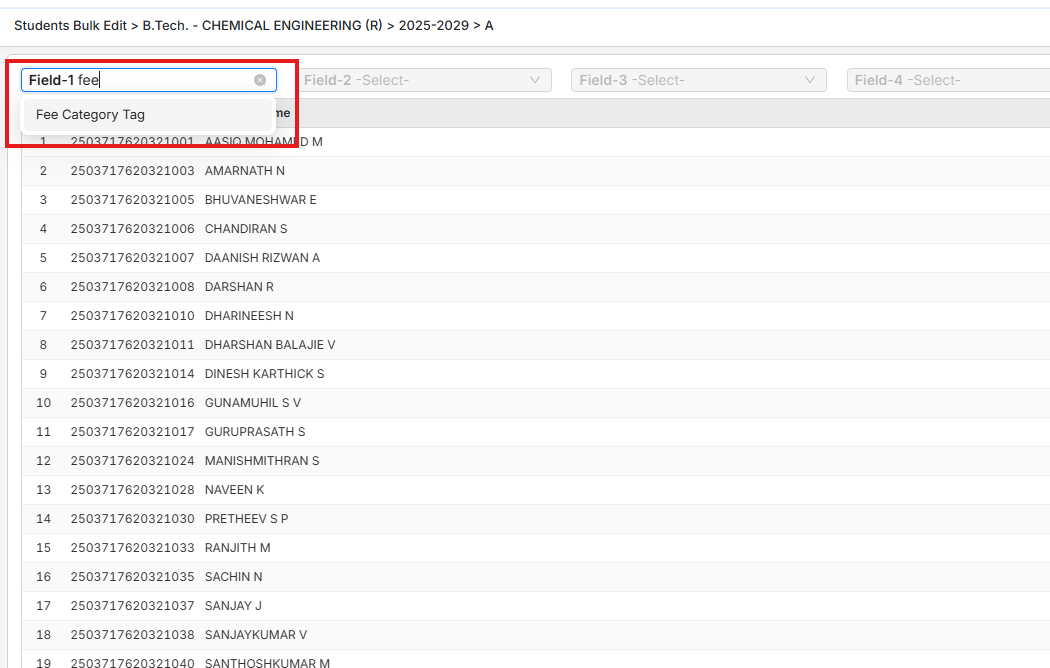
Select the field "Fee Category Tag" on field-1
4
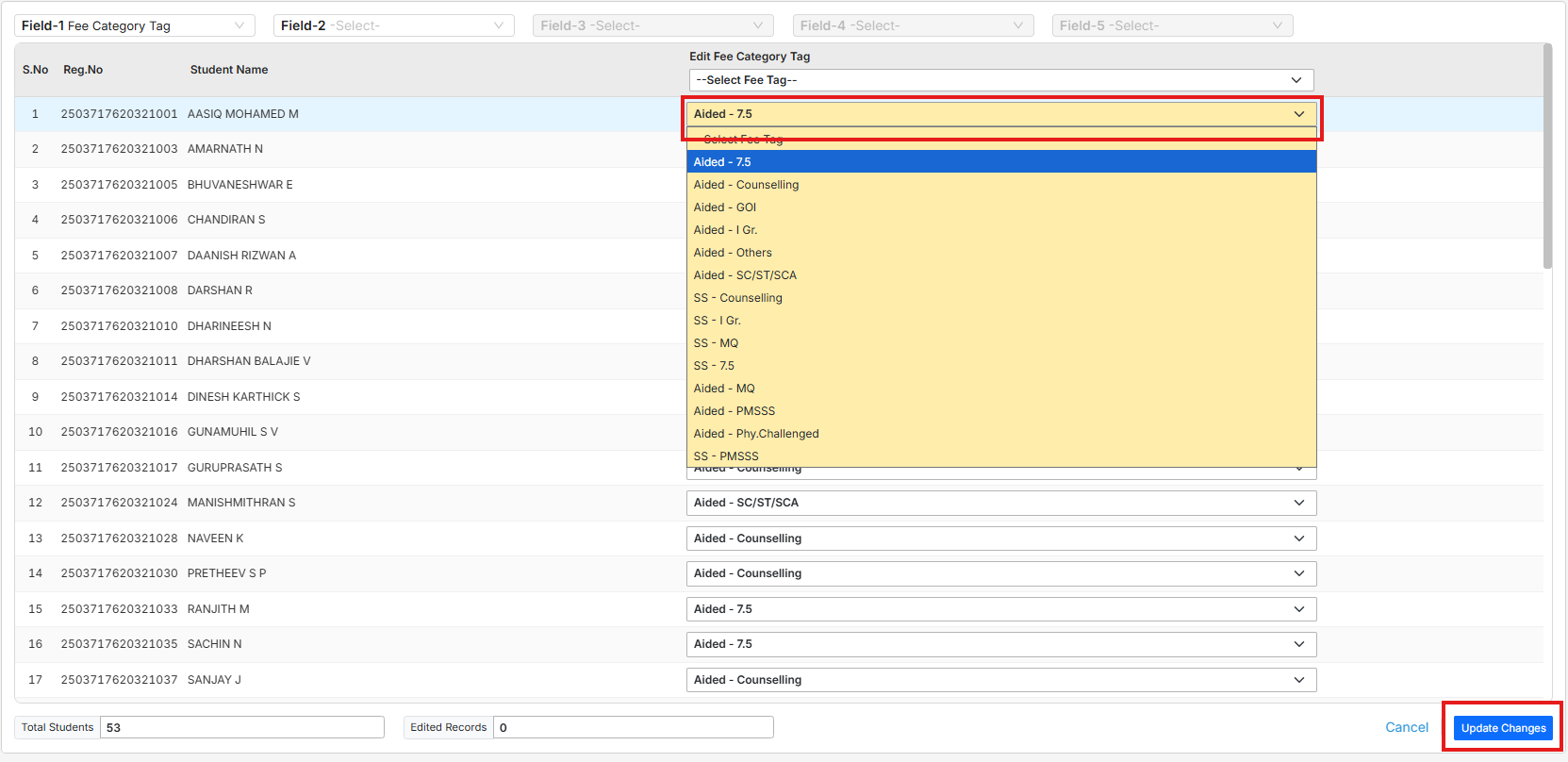
Update the Tag for needed students then click "Update" to save