1
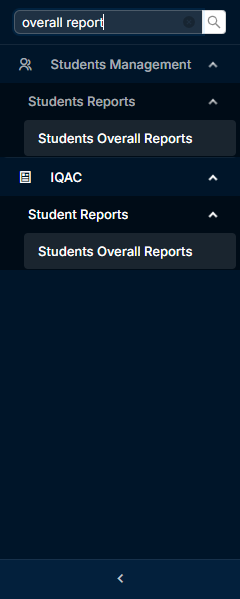
Click the menu "Students Overall Reports" in Student Management -> Students Reports
2
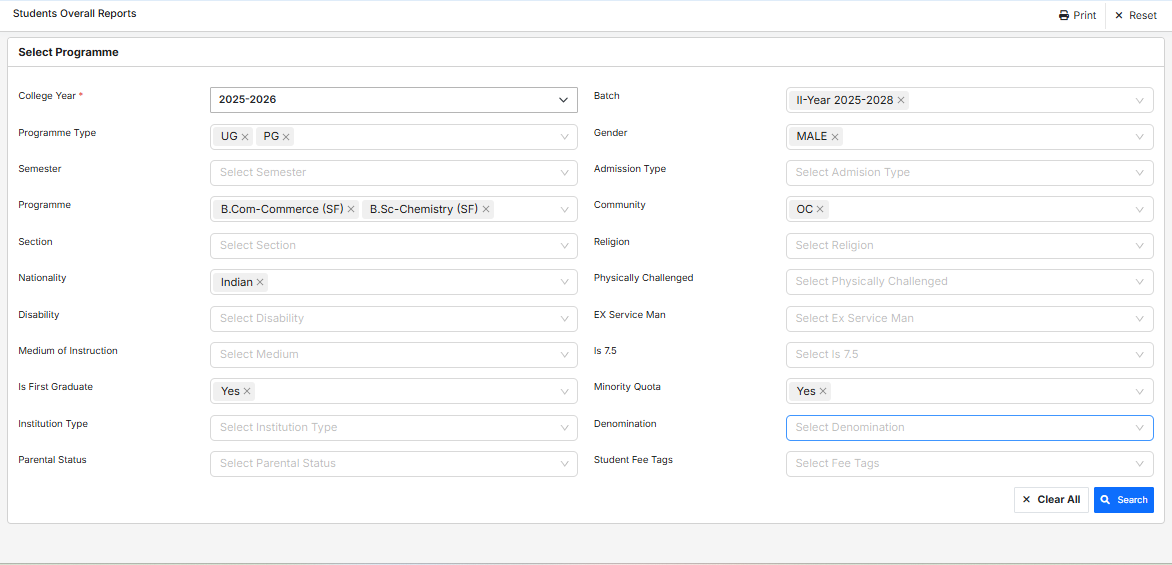
Select the required filter criteria (College Year, Batch, Gender, Community, Fee Tags, etc.) and click "Search"
3
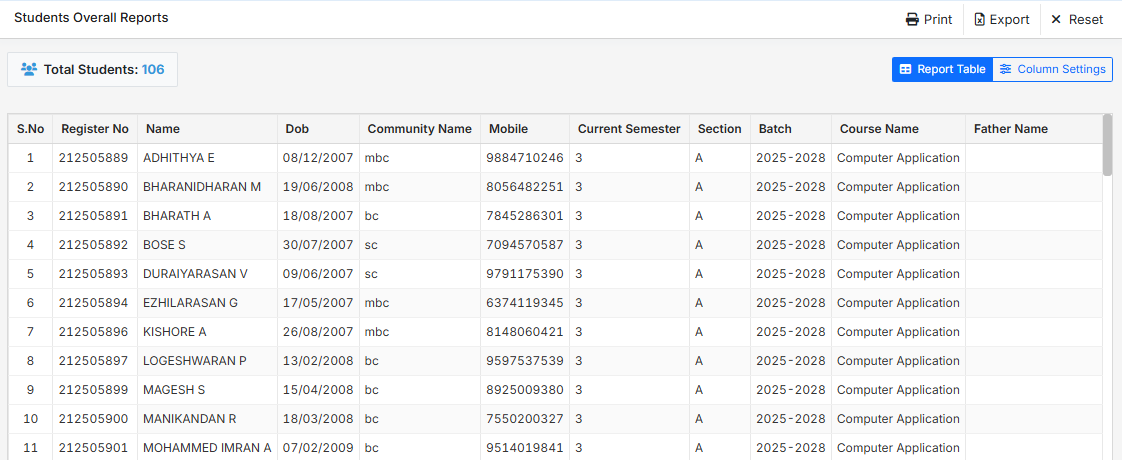
View student records list with total student count, and choose "Print" or "Export" buttons as needed
4
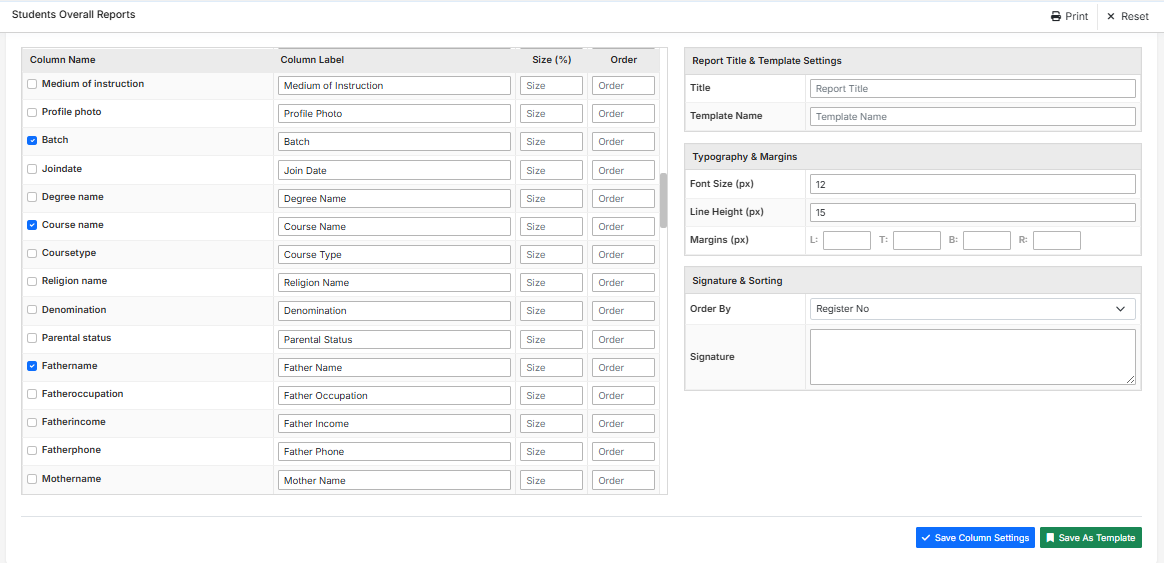
Click "Column Settings" to choose columns to display, customize labels, size, order, report title, margins, and click "Save Column Settings"